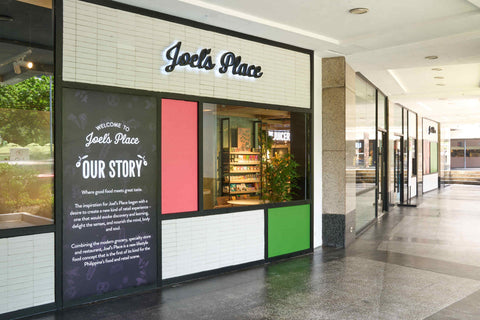

If you’re looking for a fast and hassle-free way to shop for ready-to-eat meals, bakery treats, and beverages, Joel’s Place offers Click and Collect. This service blends online convenience with in-store pickup, perfect for busy professionals, parents juggling multiple errands, or anyone wanting to save time. Simply browse online, place your order, and pick it up at your convenience at Joel’s Place Glorietta 4.
Here’s how to get started with Click and Collect at Joel’s Place:

Step 1: Go to joelsplace.com to browse the Click and Collect products
Visit the website and find the Click and Collect section. From the homepage, either scroll through the banner, look under the menu bar, or simply search for it using the search bar.
Step 2: Tap “Click and Collect”
Once you’re ready to explore the full selection, tap the Click and Collect button. This directs you to the complete list of curated items available, including snacks, beverages, bakery treats, and ready-to-eat meals—for convenient pickup at Joel’s Place, Glorietta 4.
Step 3: Select your items and click “Add to Cart”
Browse through the selection and click Add to Cart for every item you want. Add as many products as you want and freely go back and forth between categories to continue shopping.

Step 4: When you’re ready, tap “View Cart”
Once you're done shopping, tap View Cart. Here, you can check your cart to update quantities, review prices, or remove items you no longer need before proceeding. Make sure everything is correct before checkout.
Step 5: Choose your preferred pickup schedule and proceed to Checkout
Select the pickup date and time that fits your schedule. This makes planning your day easier—and ensures your order is ready when you arrive. After selecting, proceed to Checkout.
Step 6: Input your contact details. Select how to collect your order: Curbside Pickup, In-Store Pickup, or Rider Pickup
Enter your email address, then choose how you want to collect your order:
- Curbside Pickup – Ideal if you prefer to stay in your car.
- In-Store Pickup – Perfect for a quick visit inside the store.
- Rider Pickup – A convenient option if you want to arrange for a rider to collect your order for you.

Step 7: Enter your details and click “Pay Now”
Input your payment details and contact number, then review your information one last time. Once everything looks complete and accurate, click Pay Now to move to the payment section.
Step 8: Choose a payment method, then tap “Confirm and Pay”
Select your preferred payment option and complete the transaction securely. Tap Confirm and Pay to finalize your order.
Step 9: Check your email for the confirmation message and follow the pickup instructions
You’re almost done! You’ll receive a confirmation email from Joel’s Place with your order details and pickup instructions. Present your name and order number when picking up your order.
Ready to Order?
Let’s make your first order a smooth, enjoyable, and time-saving shopping experience. Order now via Click and Collect at joelsplace.com and pick up your favorites with ease!
Cover and in-article illustrations by Venice Lauren Fernandez.